Take Control of Your Financial Picture With One Simple Printable Planner
Managing personal finances can become complicated quickly.
You may have an emergency-fund goal, several debts, credit-card balances, retirement contributions, future financial goals, and assets and liabilities that you want to monitor. When all of this information is kept in different notebooks, spreadsheets, apps, or random pieces of paper, it becomes difficult to see the bigger picture.
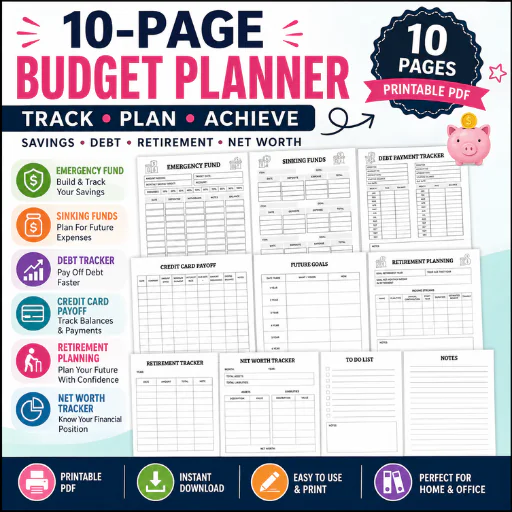
The 10-Page Printable Budget Planner & Financial Planning Workbook provides a simple, structured way to organize several important areas of personal finance in one printable PDF.
Rather than overwhelming users with hundreds of pages, this compact planner focuses on some of the most important long-term financial planning areas: emergency savings, sinking funds, debt repayment, credit-card payoff, future goals, retirement planning, retirement contributions, net worth, tasks, and notes.
The result is a practical financial organization tool that can be printed and placed inside a binder, folder, planner, or financial notebook.
It is particularly useful for people who want something more focused than a traditional monthly budget sheet.
What's Inside the 10 Pages?
The PDF contains 10 dedicated printable pages, each serving a specific financial-planning purpose.
Page 1 — Emergency Fund
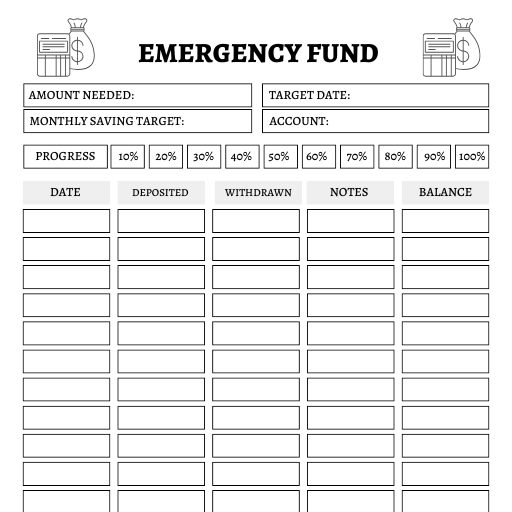
The first page is dedicated to building and monitoring an Emergency Fund.
It includes fields for:
This structure allows users to establish an emergency-fund target and record deposits and withdrawals over time.
The percentage progress markers provide a simple visual way to see how close the user is to reaching the target.
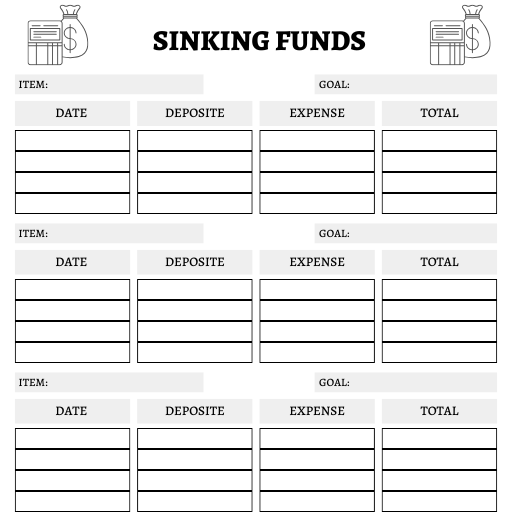
Page 2 — Sinking Funds
The second page focuses on Sinking Funds.
It provides multiple sections with fields for:
Sinking funds are useful for expenses that are predictable but don't necessarily occur every month.
Users can dedicate different sections to different financial goals and record deposits and expenses as they progress toward each target.
Page 3 — Debt Payment Tracker
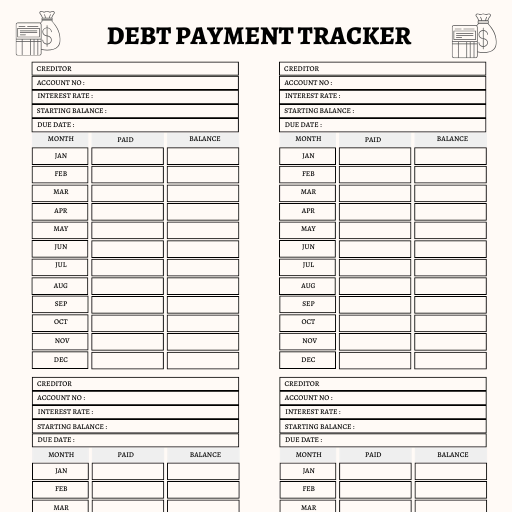
The third page is a dedicated Debt Payment Tracker.
It provides space for multiple creditors and includes fields for:
The monthly table runs from January through December, allowing users to track payments and balances throughout the year.
The page contains multiple creditor sections, making it useful for users managing more than one debt account.
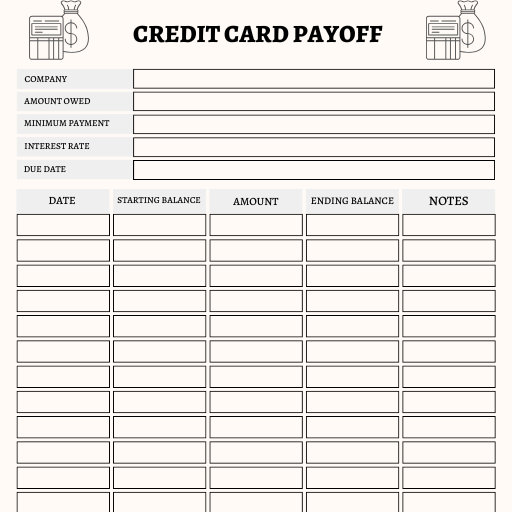
Page 4 — Credit Card Payoff
The fourth page focuses specifically on Credit Card Payoff.
It includes:
This gives users a dedicated record for monitoring credit-card repayment progress.
Instead of only recording what is owed, the page allows users to compare starting balances, payments, and ending balances over time.
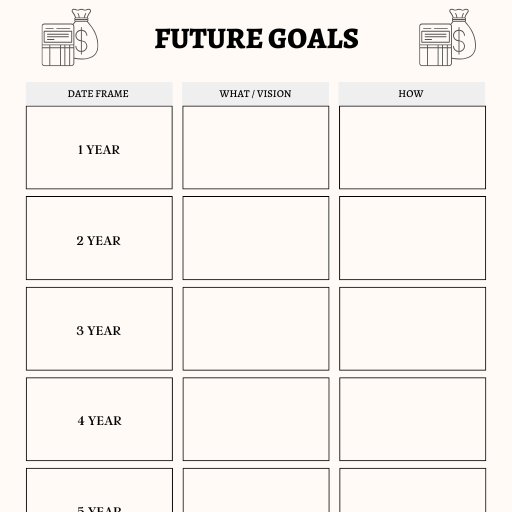
Page 5 — Future Goals
Financial planning isn't only about dealing with current expenses.
The Future Goals page helps users think further ahead.
It provides planning sections for:
Each timeframe includes areas for:
What / Vision
and
How
This makes the page useful for connecting long-term financial aspirations with the actions needed to move toward them.
Page 6 — Retirement Planning
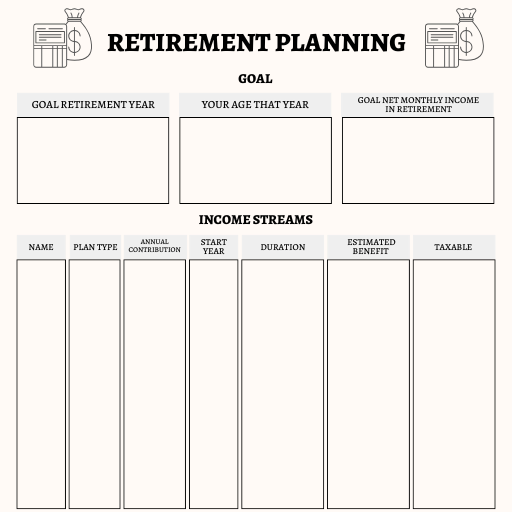
The sixth page introduces a more detailed Retirement Planning section.
At the top, users can record:
The page also contains an Income Streams section with fields including:
A large notes section provides additional space for financial planning information.
This page is designed to help users organize retirement-related information rather than simply tracking current monthly spending.
Page 7 — Retirement Tracker
The seventh page works alongside the retirement-planning page.
The Retirement Tracker provides space for:
This creates a straightforward way to maintain a running record of retirement-related contributions or financial activity.
Page 8 — Net Worth Tracker
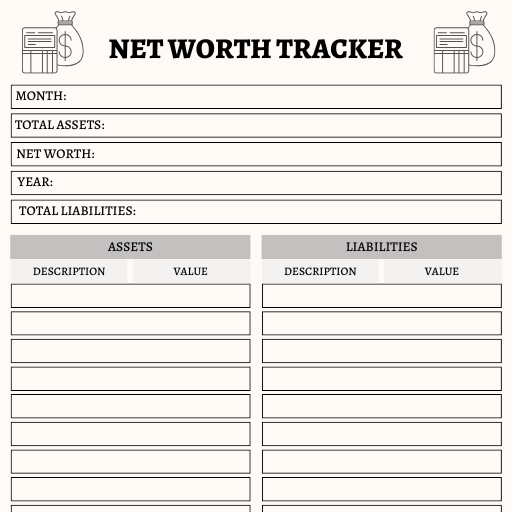
The eighth page is a Net Worth Tracker, making it one of the most useful high-level financial overview pages in the workbook.
It includes fields for:
Separate tables are provided for:
Assets — Description + Value
and
Liabilities — Description + Value
Each section includes a total, followed by a notes area.
This allows users to compare what they own against what they owe and maintain a clearer picture of their overall financial position.
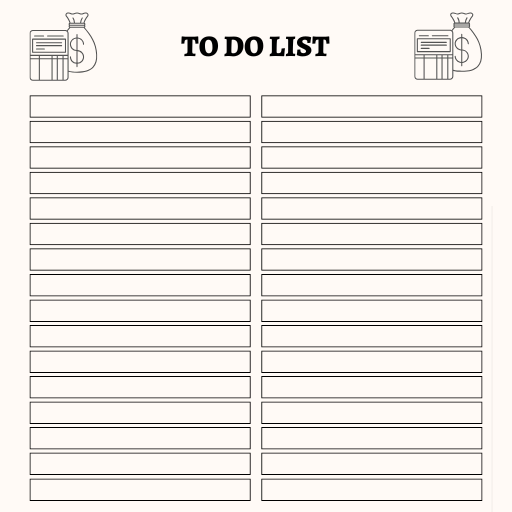
Page 9 — To Do List
The ninth page is a general To Do List.
Although it isn't a traditional budgeting worksheet, it serves an important organizational purpose.
Financial goals require action.
Users can record tasks, reminders, financial priorities, or follow-up actions and use the notes section for additional information.
Page 10 — Notes
The final page is a simple Notes page.
It gives users flexible space to write information that doesn't fit neatly into the structured worksheets.
This can be used for financial reminders, calculations, planning notes, questions, account information, or personal observations.
Why This Planner Is Different
The biggest mistake would be marketing this as simply another "budget worksheet."
The actual PDF goes beyond basic monthly budgeting.
Its strongest focus is financial planning and financial progress tracking.
It connects several important areas:
Emergency Savings → Sinking Funds → Debt → Credit Cards → Future Goals → Retirement → Net Worth
That makes it more appropriate for someone who wants to build an organized financial system rather than simply record daily purchases.
Practical Use Example
Imagine someone wants to improve their financial position over the next few years.
They could use the planner to:
This is where the planner becomes more useful than a basic budget sheet: it encourages users to look at both today's financial decisions and tomorrow's financial position.
Key Features
20 Major Benefits
Who Is This Product For?Perfect For
Useful For
Personal Finance: Organize personal financial goals and records.
Household Finance: Maintain a shared overview of savings, debts, goals, and net worth.
Debt Reduction: Track creditors, balances, interest rates, and payments.
Long-Term Planning: Organize one-to-six-year goals and retirement planning.
Financial Reviews: Create a structured place to periodically review financial progress.
Who Should NOT Buy This Product?
This may not be the right product for someone looking for:
This is a simple printable organization tool, not financial software.
Files Included
Included:
Software Required:
A standard PDF reader is sufficient for viewing and printing.
Not included:
I would not advertise this as editable because the supplied PDF does not establish that an editable source file is included.
What is this budget planner?
It is a 10-page printable PDF financial planning workbook covering emergency funds, sinking funds, debt payments, credit-card payoff, future goals, retirement, net worth, tasks, and notes.
Who is this planner for?
It is designed for individuals, couples, families, and anyone wanting a simple printable system for organizing financial goals and progress.
What does the PDF include?
It contains 10 pages covering Emergency Fund, Sinking Funds, Debt Payment Tracker, Credit Card Payoff, Future Goals, Retirement Planning, Retirement Tracker, Net Worth Tracker, To Do List, and Notes.
Is it editable?
The provided product is a PDF. No editable Canva, Excel, Word, or other source file is included based on the supplied file.
Can beginners use it?
Yes. The worksheets use straightforward fields and tables, although users should understand their own financial information before recording it.
Is it financial advice?
No. It is a financial organization and planning worksheet, not professional financial, tax, investment, or retirement advice.
Published:
Aug 12, 2026 03:02 AM
Category:
Product Type:
plannerSize:
letterColor:
black & white